Skip to content
Kyvora

Kyvora

Run your team without spreadsheets and endless group chats.

Create the squad, send call-ups, and know who’s playing — in one place, on your phone.

Create my team free
No card to startWorks on mobilePlayers confirm without an account
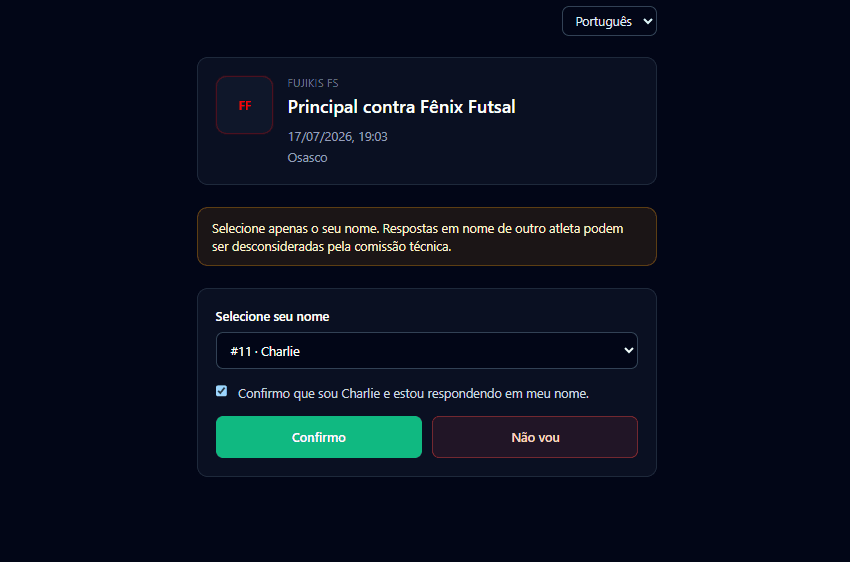
Public attendance confirmation without signup
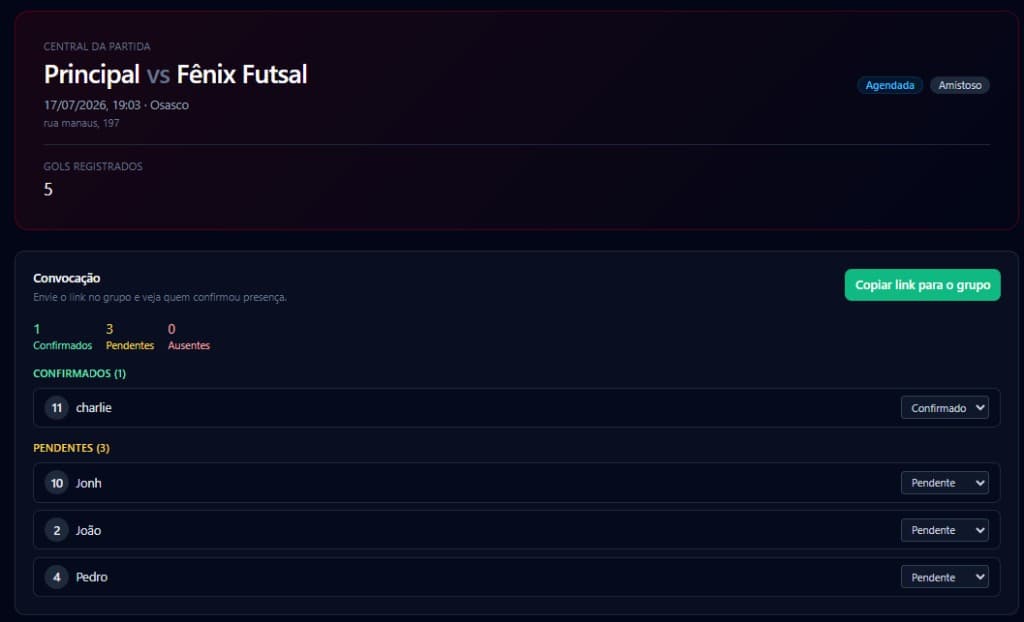
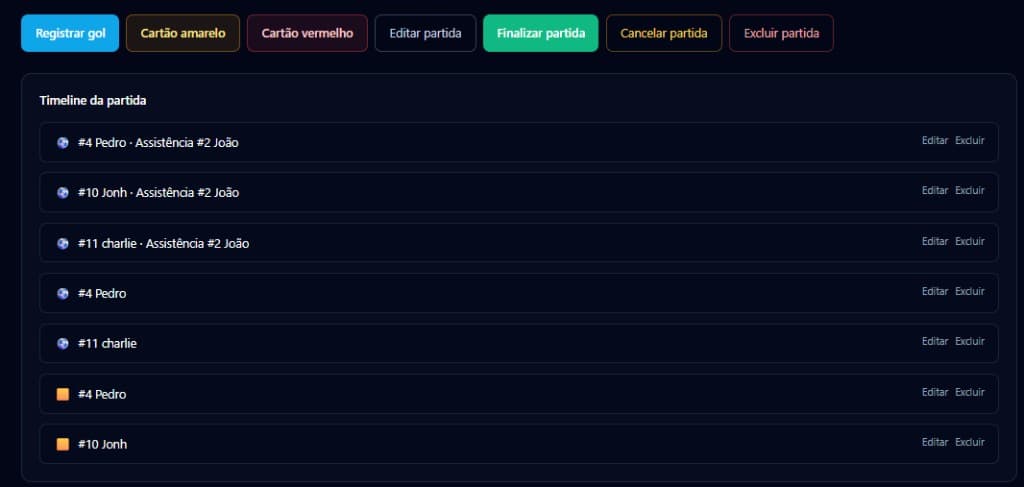
Kyvora Match Center with score and match events

The routine you already know

If organizing the team feels like a second job, this is for you.

It’s not a commitment problem. It’s missing one clear place for team ops — outside the chat flood.

Endless messages

Polls, “who’s in?”, silence, then chasing again.

Outdated spreadsheet

Three versions. Nobody trusts the data.

Last-minute lineup

Notes on a phone, paper, or one person’s memory.

Lost history

Scores and attendance buried in old threads.

The shift

Same match-week routine. Completely different clarity.

Before

  • Confirmations scattered across chats
  • Uncertainty until kickoff
  • Improvised lineups
  • Ops living in one organizer’s head
  • History lost in old conversations

With Kyvora

  • Call-ups with clear status
  • Confirmations in one place
  • Roster and matches centralized
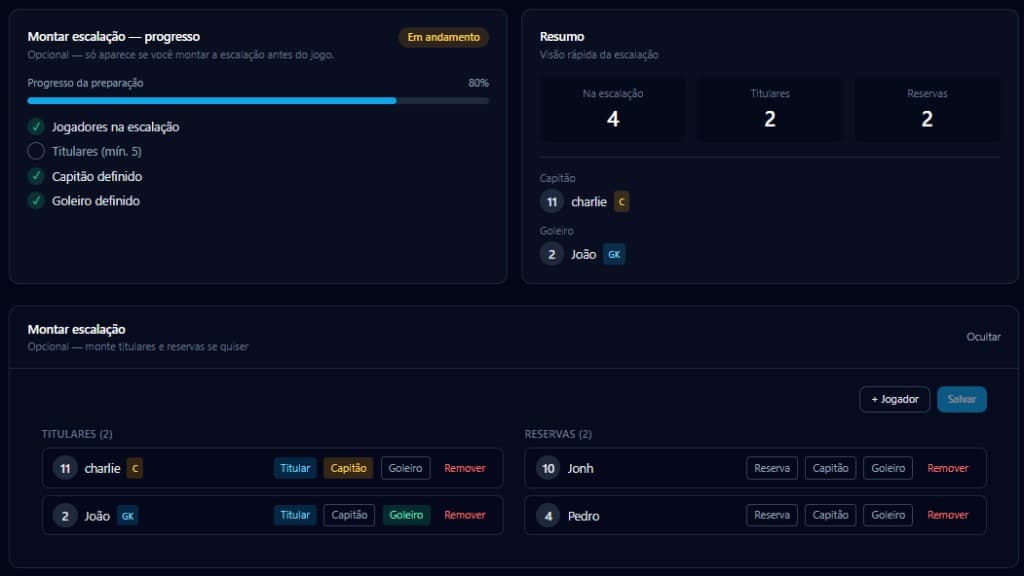
  • Lineups organized on mobile
  • Team history you can actually find

Demo

From chaos to clarity in a few steps.

See the real flow: create a team, call up players, confirm attendance, run the match.

Kyvora in action

Kyvora in action

Video in production — coming soon

Create teamAdd playersCreate matchSend call-upPlayer confirms without an accountSet lineupFollow Match CenterCheck rankings

What changes

Less chasing. A more organized team.

Fewer benefits. Clear outcomes — not a feature dump.

Keep your roster organized.

Players, positions, and participation in one simple panel.

Know who’s playing without chasing the group.

Share a link. Players confirm without signing up.

Set up the next match in minutes.

Date, venue, and opponent in one flow.

Log what happened in every game.

Score, events, and a clear match view.

See who contributes on the pitch.

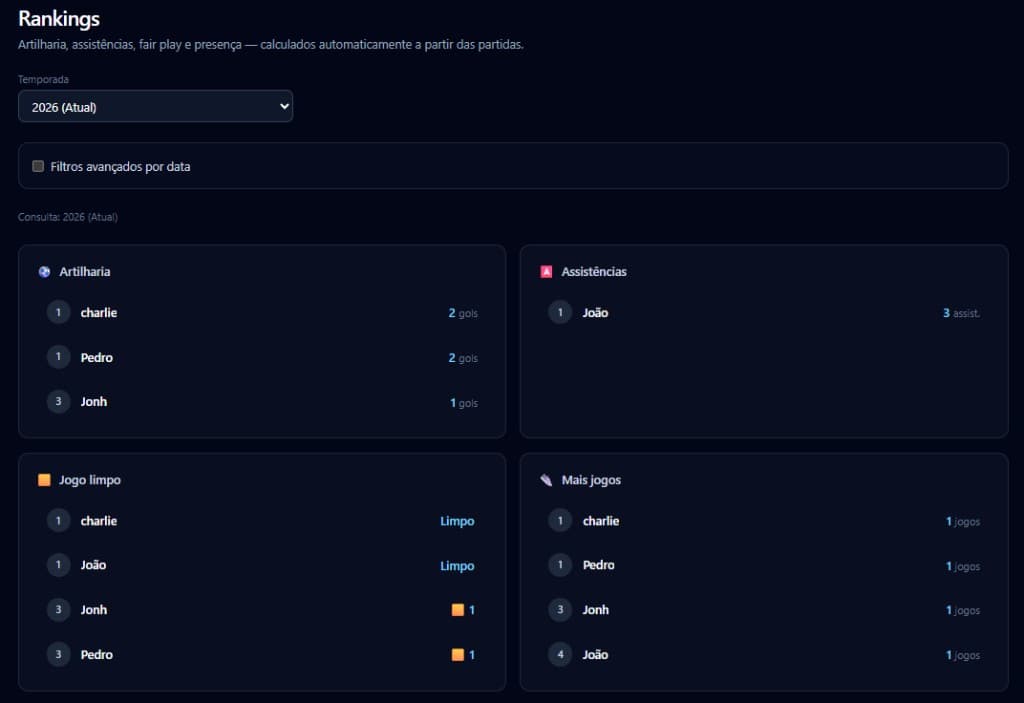
Rankings update as matches are recorded.

Keep the team’s history.

Seasons and results stay available — not lost in chat.

How it works

Simple enough for match week.

Six steps. No install. No training the whole squad.

  1. 01

    Create your team

    Set up in a few minutes.

  2. 02

    Add players

    Build a roster ready for call-ups.

  3. 03

    Organize the match

    Decide when and where you play.

  4. 04

    Send the call-up

    Share the link in your usual group.

  5. 05

    Track confirmations

    See who’s in, out, or pending.

  6. 06

    Show up prepared

    Clear lineup and ops before kickoff.

Produto

Real screens. No fiction.

Kyvora Match Center with score and match events
Follow the match with clarity
Call-up screen with attendance status
Call-ups with per-player status
Team rankings and stats
Rankings without manual spreadsheets

Proof

Real product. Real flow. No invented numbers.

Until customer stories scale, proof lives in the product — real screens and real team ops.

Live product

An active platform used in real team routines.

Real screenshots

Demo environment screens — not fake UI.

Built for mobile

Organize from the court, locker room, or commute.

Transparency

No fabricated testimonials. No made-up metrics.

Slot ready for real testimonials, logos, and metrics — nothing invented.

Start now

Organize your team with low commitment.

Create an account, set up the team, and try the full flow. Final pricing appears only when commercial terms are configured.

  • Team setup in minutes
  • Call-ups with no-account confirmation
  • History and rankings in one place
  • Cancel anytime

Prices and commercial terms only appear when explicitly configured.

FAQ

Questions people ask before creating an account

Do I need to install an app?

No. Kyvora runs in the browser. You can also add it as a PWA.

Does it work on mobile?

Yes. It’s designed for organizers away from a desk.

Does it work for football, futsal, and small-sided games?

Yes — any recurring roster and match routine fits.

Do players need an account?

Not to confirm attendance. They use the call-up link without signing up.

How do call-ups work?

Create a match, open the call-up, share the link. Responses stay centralized.

Can I manage more than one squad?

Yes. Organizations can run multiple squads/rosters.

What happens after the trial?

You choose whether to continue. Commercial terms are clear in the app.

Do I need a card to start?

This campaign aims for low friction. If a card is required, it will be stated explicitly.

Is my data saved?

Yes. Team history stays available while the account is active.

Can I cancel?

Yes. Stop whenever you want.

Can I use it like an app?

Yes. Add Kyvora to your home screen as a PWA.

Your team already has enough challenges on the pitch.

Organize what happens off it — and show up with a clearer head.